How to use the Split Screen feature
This new feature allows you to run both
Operating software and the DSS Check In software on the same screen.
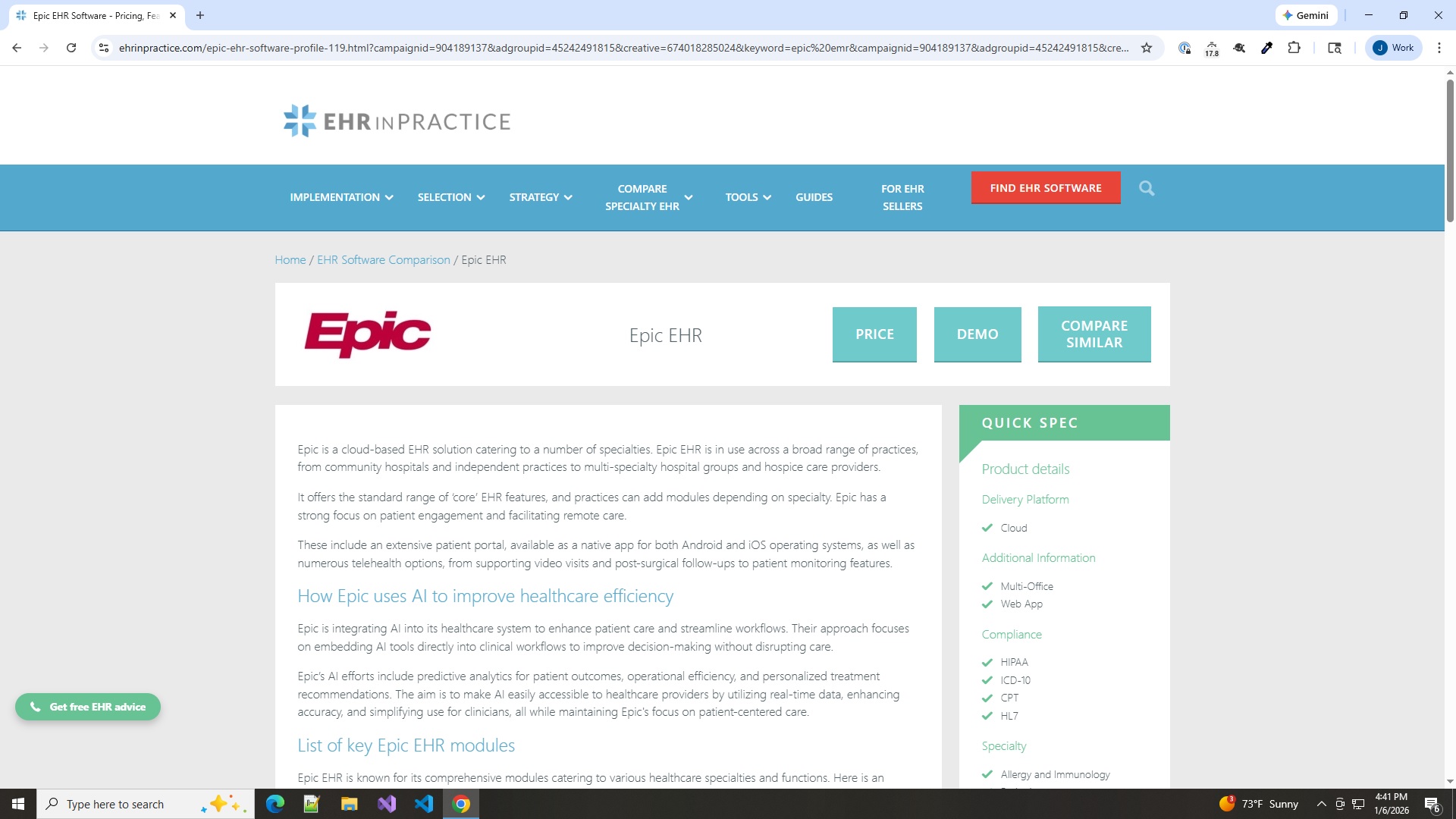
Open your Operating software
Just as normal, open your Operating software in Chrome
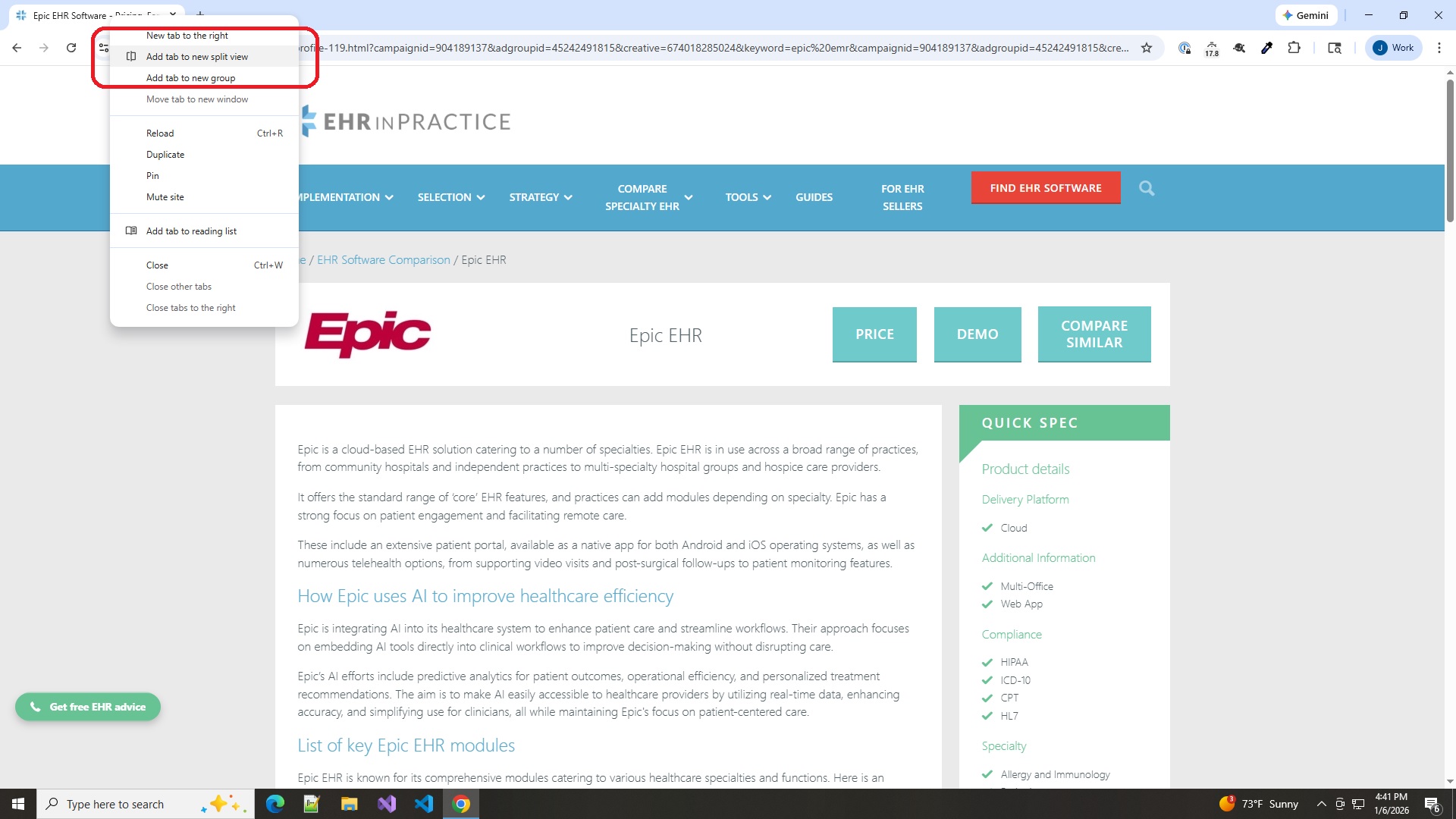
Right click the tab at the top
Right click on the tab at the top to expose the menu.
Select Add Tab to new split view.This opens another tab without closing the existing Operating screen.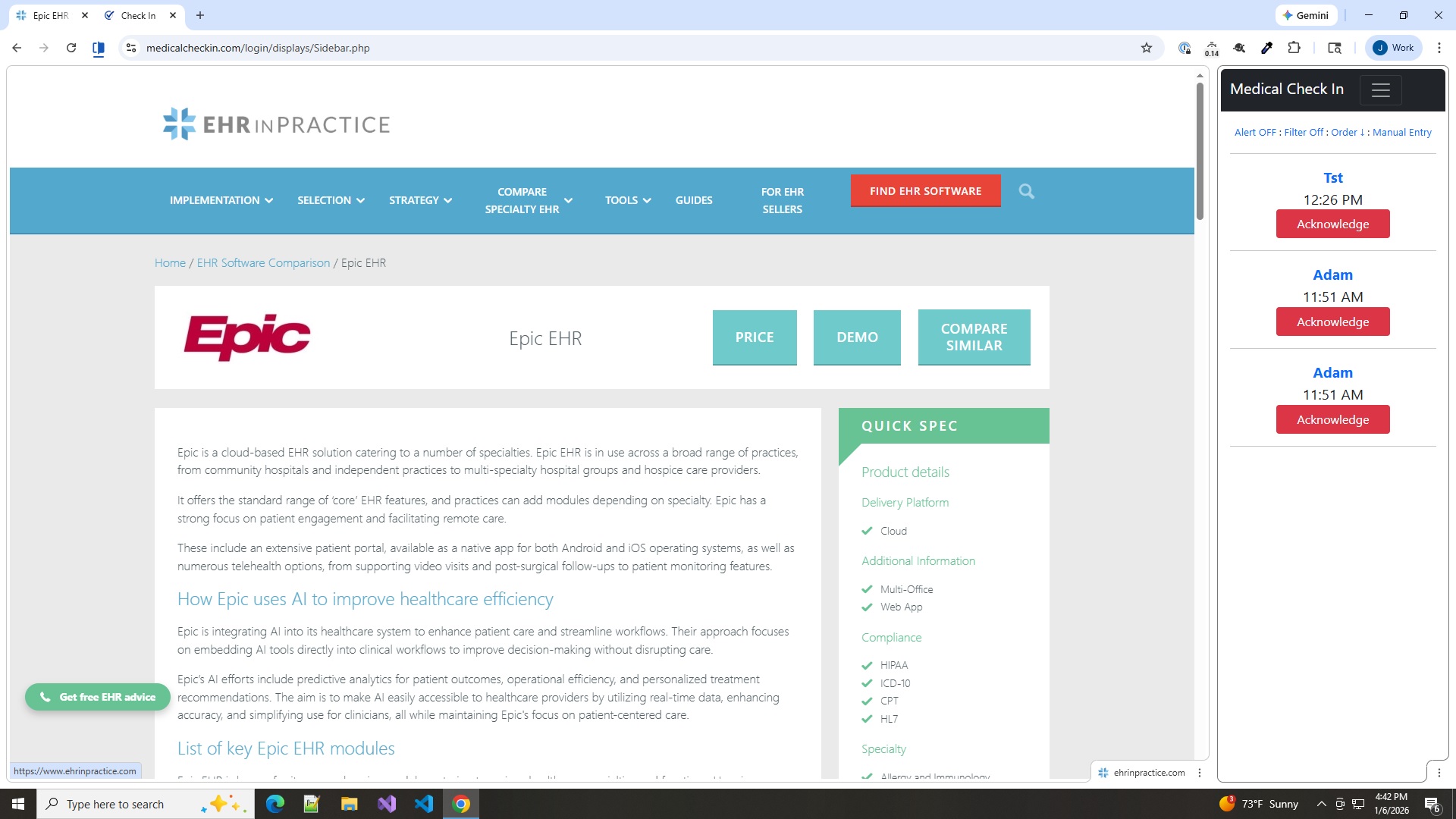
Add the Sidebar display
When the new tab opens, type in www.dsscheckin.com/login to get to your log in screen. Now navigate to the sidebar display and adjust the width of the screen to meet your needs.